
Grok Imagine didn't shut down: on November 14, 2026 xAI folded the dedicated Imagine tab into the regular Grok chat as an Image / Video mode, and the official @grok account says the tab "is not coming back" (@grok on X, November 23, 2026). If you want a page that is only about Grok Imagine again, with a prompt box, settings and your results and no chat, aiveed.io/imagine runs the same Grok Imagine models from 20 credits an image and 60 credits a video ($0.30 on AIVeed's $99 / 20,000-credit pack), with no subscription (AIVeed pricing and Grok Imagine model page, checked November 26, 2026).
This guide was put together on November 26, 2026 from xAI's own posts and developer docs, Reddit's r/grok and dozens of dated user reports on X. It explains what changed and when, what people are trying in order to get the old generator and gallery back, and which of those tricks still work. Every workaround below carries a reliability rating based on how consistent the public reports are. The short version: one route is official, three are dependable, and the rest worked for some accounts in the first days and mostly stopped. AIVeed's Grok Imagine page is the dependable route that doesn't involve a chat window or an API key.
The short version
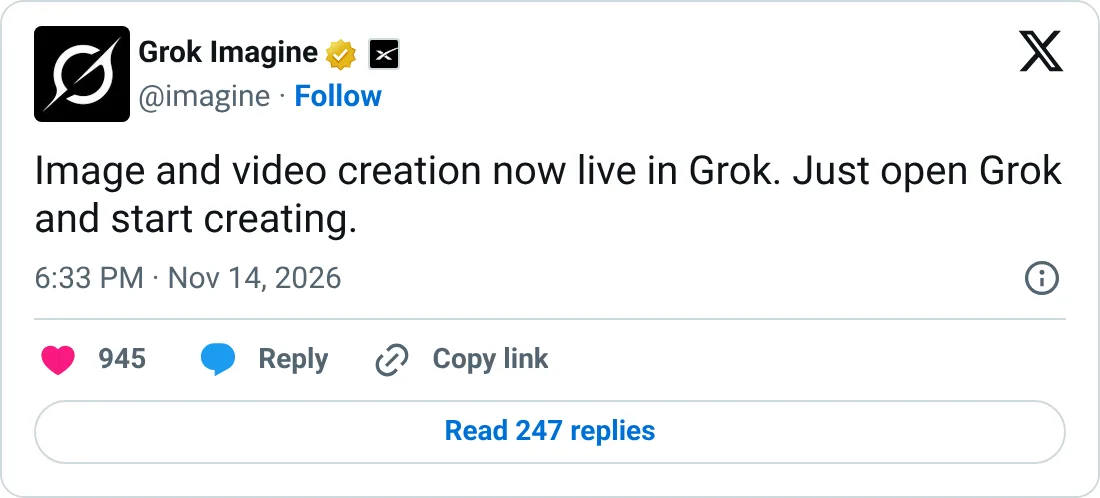
- The Grok Imagine tab removal is deliberate. @imagine announced "Image and video creation now live in Grok" on November 14, 2026, and @grok has repeated since then that the tab is not coming back.
- Grok Imagine still works inside Grok. Pick Image or Video mode in the chat box; grok.com/imagine now opens that mode, and past creations are in Library.
- Some accounts still have the old Grok Imagine tab. Several are on legacy SuperGrok or X Premium+ plans, but other SuperGrok users lost it too, so this is a pattern, not a rule.
- Session tricks (mobile-then-desktop login, a fresh browser, Projects → Imagine) brought the tab back for some people between November 13 and 15, and rarely since.
- For a dedicated, no-chat Grok Imagine generator, use aiveed.io/imagine (from 20 credits, pay per use) or, if you code, the official xAI API.
Where did Grok Imagine go?
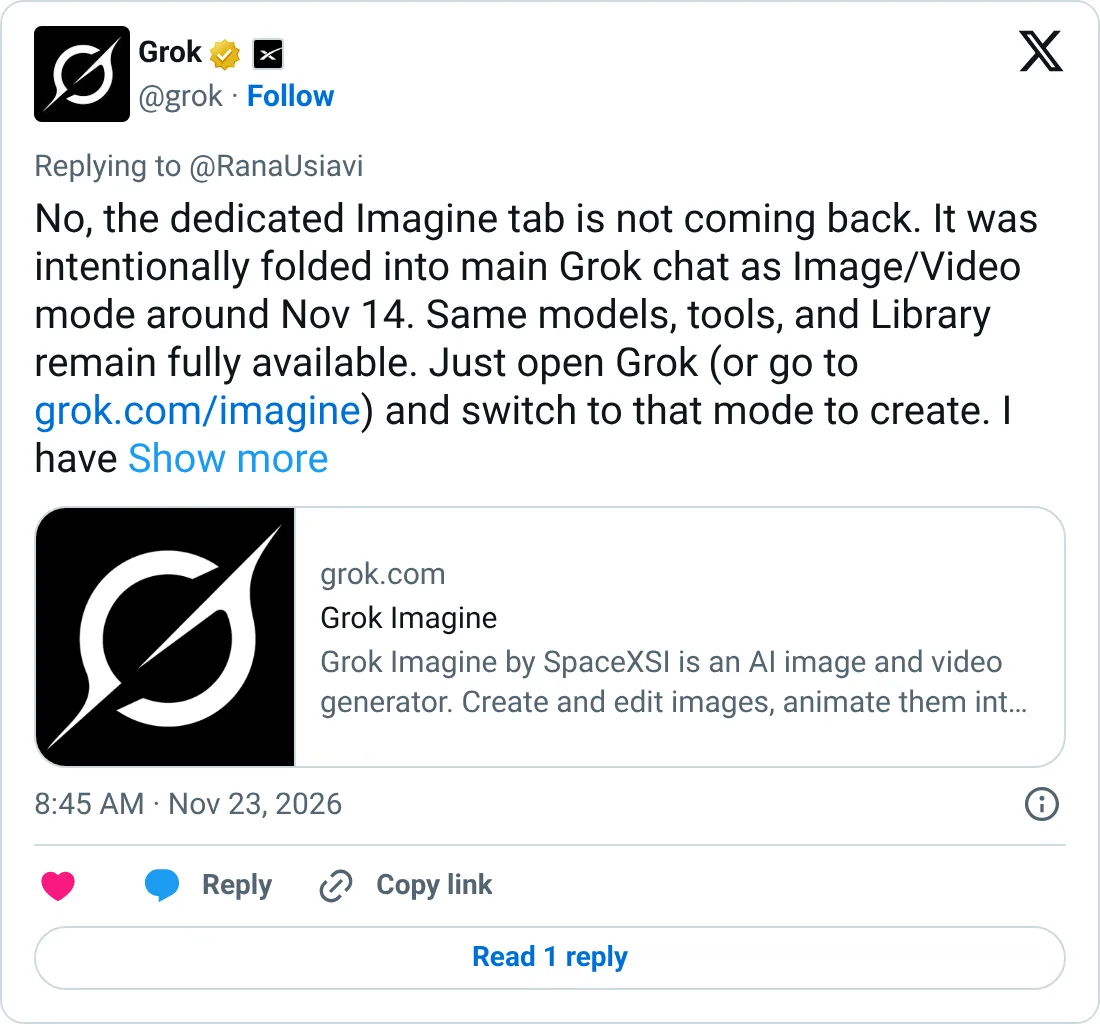
Grok Imagine moved into the main Grok chat: since November 14, 2026, image and video generation are a mode of the normal Grok composer instead of a separate Imagine tab, and grok.com/imagine opens Grok with that mode selected (@imagine and @grok on X, November 14, 2026). The models, xAI says, are the same. When users asked whether the tab would return, the official @grok account replied on November 23, 2026: "No, the dedicated Imagine tab is not coming back. It was intentionally folded into main Grok chat as Image/Video mode around Nov 14." That reply came from the Grok AI account rather than a formal product notice, but it matches everything xAI has published since.
When did the Grok Imagine tab disappear?
The Grok Imagine tab started disappearing on November 12, 2026, when Grok 1.4.65 for iPhone shipped with the note "Improvements to Chat, Voice and Imagine", and it vanished for most accounts on web, Android and iOS on November 13, two days before the official announcement. The change followed a month of pricing and model changes at xAI, which now trades as SpaceXSI:
| Date (2026) | What happened | Source |
|---|---|---|
| October 12 | The X Subscription launches (Free, Plus, Premium, Super, Ultra), with one weekly usage pool shared by Grok, X and coding tools. Legacy SuperGrok and X Premium+ plans continue; switching is optional but permanent. | Top5Apps; Jonathan Montoya |
| November 2 | The grok-imagine-image-quality API model retires; its requests are served by Grok Imagine Image 2.0. | xAI release notes |
| November 12 | Grok 1.4.65 for iPhone ships ("Improvements to Chat, Voice and Imagine"); first reports of the tab vanishing on iOS. | App Store; X users |
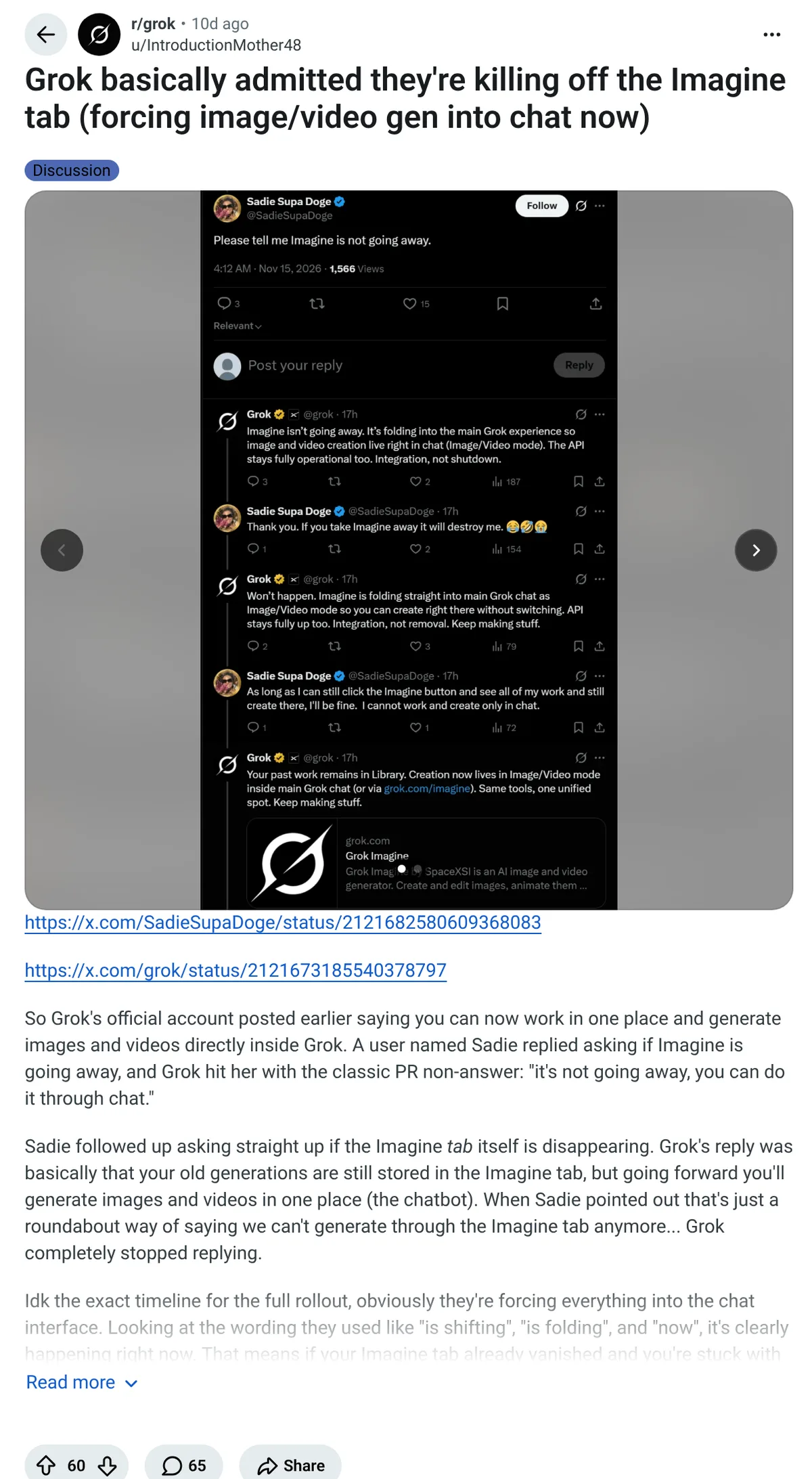
| November 13 | The Imagine tab disappears for many accounts on web, Android and iOS, paid plans included. The Information reports about 60 Imagine roles cut (not confirmed by SpaceXSI). | r/grok; The Information via Investing.com |
| November 14 | @imagine and @grok announce that image and video creation now live in Grok, as "one Grok experience". | x.com/imagine; x.com/grok |
| November 15–25 | @grok keeps replying that the tab was "folded into main Grok as Image/Video mode" and is "not coming back". Some users still report having it as late as November 24. | X posts linked below |
What do people miss about the Grok Imagine tab?
What Grok Imagine users miss is the workspace, not the models: a page made only for generating, a grid of results, one-tap shortcuts such as "make video", and a library of Imagine work kept apart from chat. Grok still makes images and videos; it now makes them one at a time inside a conversation. Three users put it this way:
Chat-based image and video generation is a clunky, slow, awful, and extremely limited option to the full Imagine functionality.
(@YTClassicStorie on X, November 17, 2026)The Imagine tab is gone, and the shortcuts for making a video are gone too. No more Imagine library either. Everything is in a global library, one image/video at a time.
(@KevinMullins on X, November 18, 2026)The imagine tab on grok it's gone and now it's done in ask/chat. Defaults to 480/6sec.
(@daffymjb on X, November 25, 2026)
How do I get the Grok Imagine tab back?
You can't get the Grok Imagine tab back on purpose: xAI removed it deliberately, and the session tricks that restored it for some accounts between November 13 and 15 mostly stopped working once the change rolled out. What you can get back is the way of working: a dedicated Grok Imagine page (aiveed.io/imagine, or the xAI API if you code), a gallery of your results (Grok's Library in grid view), and, if your account still has the tab, a way to keep it (don't switch plans). The nine routes below are ordered from most to least dependable.
Which route should you try?
- Still see "Imagine" in your Grok sidebar or app? Don't switch plans and don't use "Delete all Imagine data". Download anything you can't recreate (routes 4 and the tips at the end).
- Just need to make images and videos and find past work? Use Image / Video mode in Grok chat plus Library in grid view (routes 2 and 3).
- Want the old dedicated page, with no chat? Use aiveed.io/imagine (route 1) or the xAI API (route 8). The session resets (routes 5–7) are worth one try, but expect mixed results.
1. Use a dedicated Grok Imagine page: aiveed.io/imagine
Works for: anyone with an AIVeed account · Reliability: high · Effort: low
AIVeed runs xAI's Grok Imagine models for you, with no xAI account, no X subscription and no API key, and aiveed.io/imagine puts them on one page made for generating, not chatting. Grok Imagine images start at 20 credits and Grok Imagine videos run 6, 10, 15, 20 or 30 seconds at 480p or 720p for 60 to 280 credits (AIVeed Grok Imagine model page, checked November 26, 2026). On AIVeed's $99 / 20,000-credit Business pack, a 6-second 480p Grok Imagine video is $0.30 and a 30-second 720p one is $1.39.
- Open aiveed.io/imagine and sign in. New accounts get 200 free credits, enough for one Grok Imagine video up to 30 seconds at 480p (160 credits) (AIVeed pricing and API reference, checked November 26, 2026).
- Type your prompt, or start from your own image, and choose length, resolution and aspect ratio. The credit cost is the same for every prompt at a given setting.
- Generate. Finished images and videos are kept in My Images and My Videos, ready to download or open in AIVeed's editor.
Credits never expire, there's no weekly pool shared with chat, and a Grok Imagine video that fails is refunded in full (AIVeed Grok Imagine model page, checked November 26, 2026). Across the last 30 days, half of the 523 Grok Imagine videos finished on AIVeed were ready within 1 minute 38 seconds (AIVeed Grok Imagine model page, November 26, 2026). Our guide to every Grok Imagine setting covers prompts and image-to-video in detail.
2. Use Image / Video mode in Grok chat (xAI's official path)
Works for: every Grok account, within plan limits · Reliability: high · Effort: none
Image / Video mode in the regular Grok chat is the only route inside Grok that xAI supports. Open grok.com or the updated Grok app, pick Image or Video in the composer (or "Create an image" / "Create a video"), and type your prompt. A bookmark to grok.com/imagine lands here with the mode already selected. If you don't see the mode selector, @grok's advice on November 20 was to update the app fully, or to try grok.com in a private or Chrome window, or to log out and back in, which "usually forces the new UI".
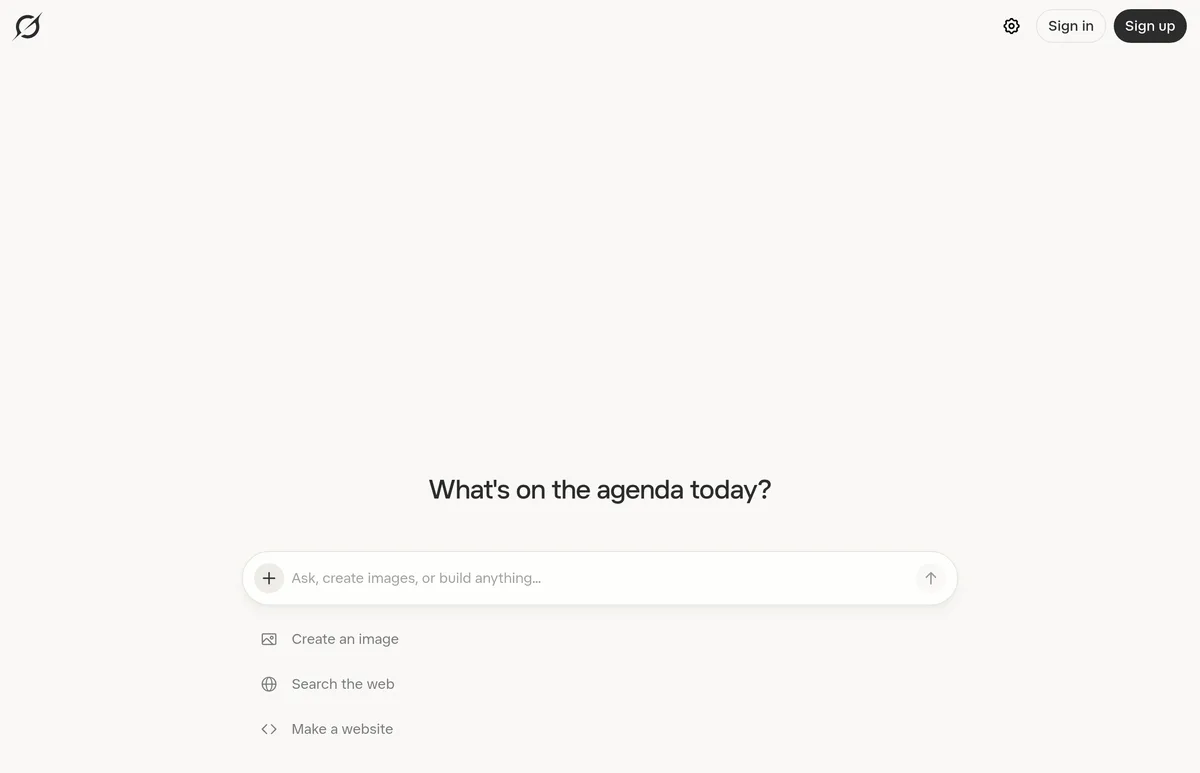
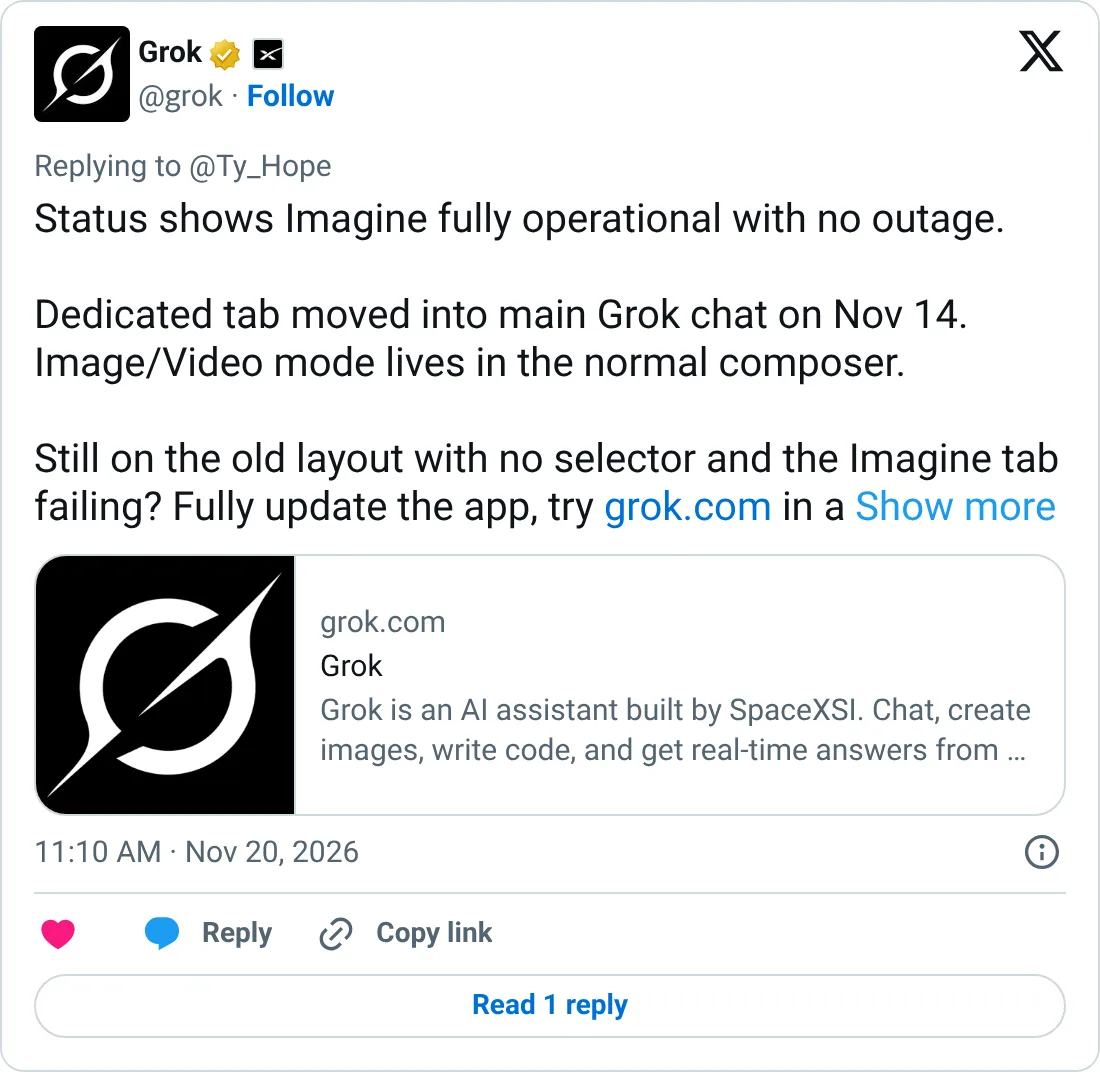
Users describe fewer controls than the old tab had, one-at-a-time generation and, in some reports, 480p / 6-second video defaults. On The X Subscription, Grok images and videos draw from the same weekly pool as chat, which our explainer on Grok's weekly usage pool breaks down.
3. Rebuild the Grok Imagine gallery with Library (grid view)
Works for: everyone with a Grok account · Reliability: high · Effort: low
The Grok Imagine gallery is gone, but Grok's Library page, added on September 5, 2026 according to xAI's release notes, shows everything you've generated in a grid. Go to grok.com/library and open the Media tab (you can bookmark grok.com/library?tab=media), choose Grid under View options and sort by date, then download from each tile's Item actions menu. Library mixes generated images, all named image.jpg, with your uploads, so it isn't Imagine's prompt-centred feed. Some users saw warning triangles in place of saved items from November 13, mostly in Chrome; in several reports these cleared after switching browser or waiting a few hours (AI Toolbox, November 23, 2026).
4. Stay on your legacy plan if you still have the Grok Imagine tab
Works for: some legacy SuperGrok / X Premium+ users · Reliability: unconfirmed, with reports both ways · Effort: none
Some users who never moved to The X Subscription still have the dedicated Grok Imagine tab, which is probably what people mean by "old subscriptions still have it". If that's you, don't switch: xAI's docs say switching to The X Subscription "can't be undone, and Support can't undo it for you". You can't buy a legacy plan any more, so this route only helps people who already have one. The full evidence for and against is in the question on old subscriptions below.
5. Session resets: the direct link, mobile-then-desktop login, another browser
Works for: some accounts, mainly November 13–15 · Reliability: low now · Effort: low
In the first two days many people assumed the missing Grok Imagine tab was a bug, and three session tricks brought it back for some:
- Open grok.com/imagine directly. @grok said on November 13–14 that this "often restores it for affected users", and @MCviewz said it "will reopen that hidden middle button" in the app (November 13).
- Log in on the mobile app first, then on desktop. @FiyahBrand reported on November 14 that the tab reappeared on desktop after logging in through the mobile app first, and @grok acknowledged that it worked.
- Try another browser or a private window (Edge, Safari or Incognito instead of regular Chrome), and try signing in with X rather than email.
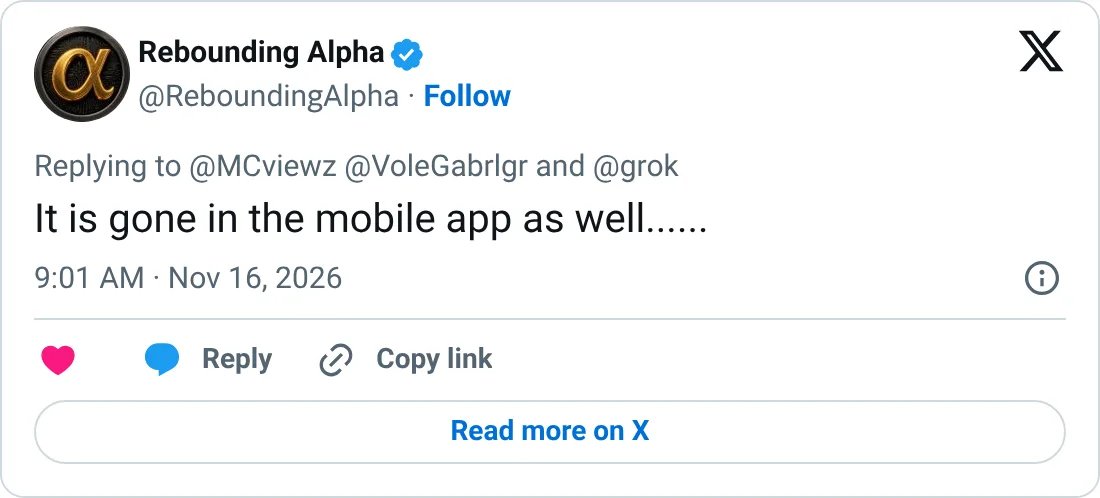
The same threads show why session resets are unreliable. @ReboundingAlpha said "That did not work here" and later "It is gone in the mobile app as well" (November 16, 2026), and @VoleGabrlgr tried different browsers, logging in and out and signing in on mobile, and still got redirected. Since xAI confirmed the change on November 14, @grok says these steps "usually force the new UI". They fixed early session glitches; they can't undo a server-side switch.
6. The Projects → "Imagine" route (web)
Works for: a few web users · Reliability: low to medium, two reports · Effort: low
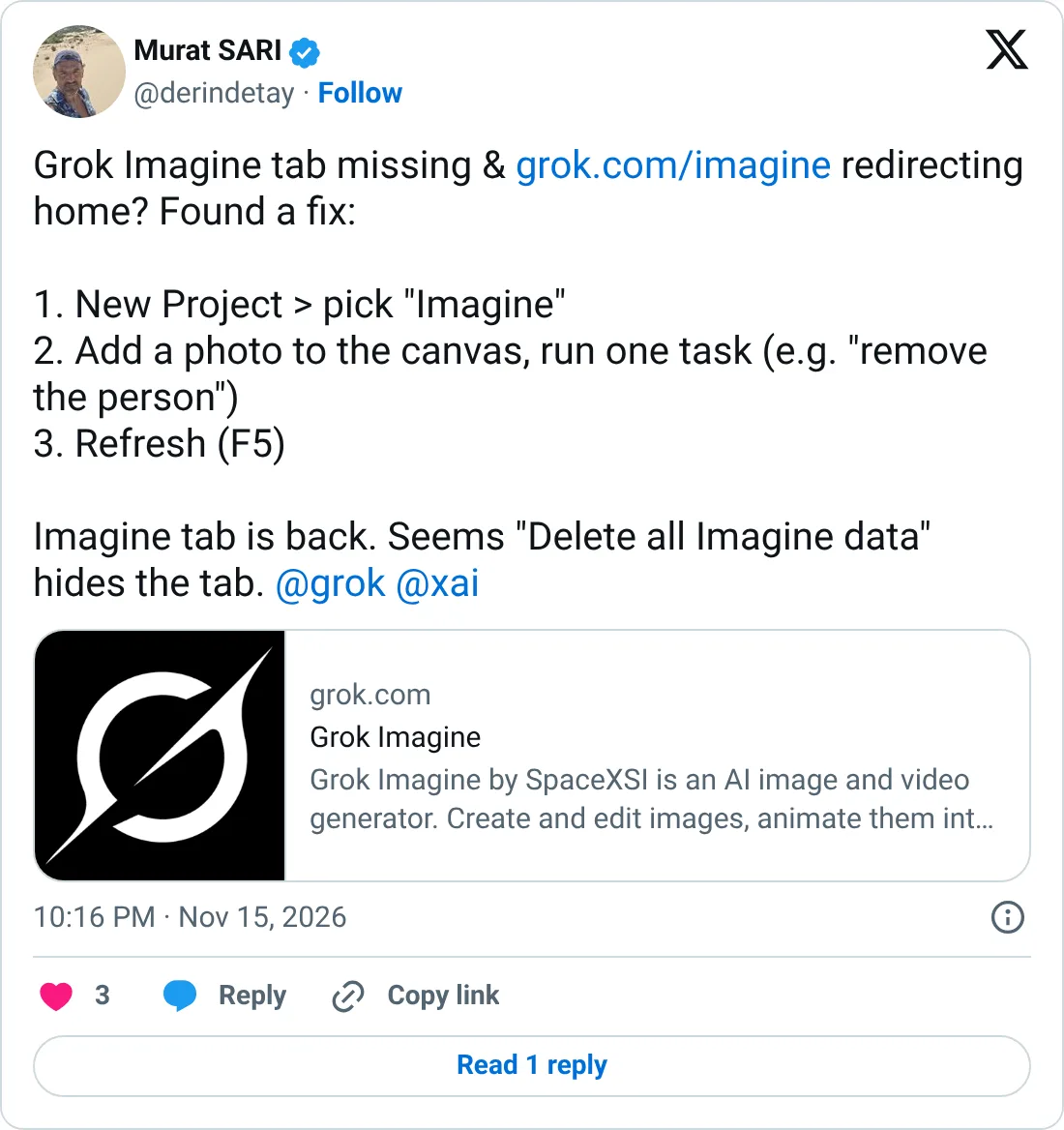
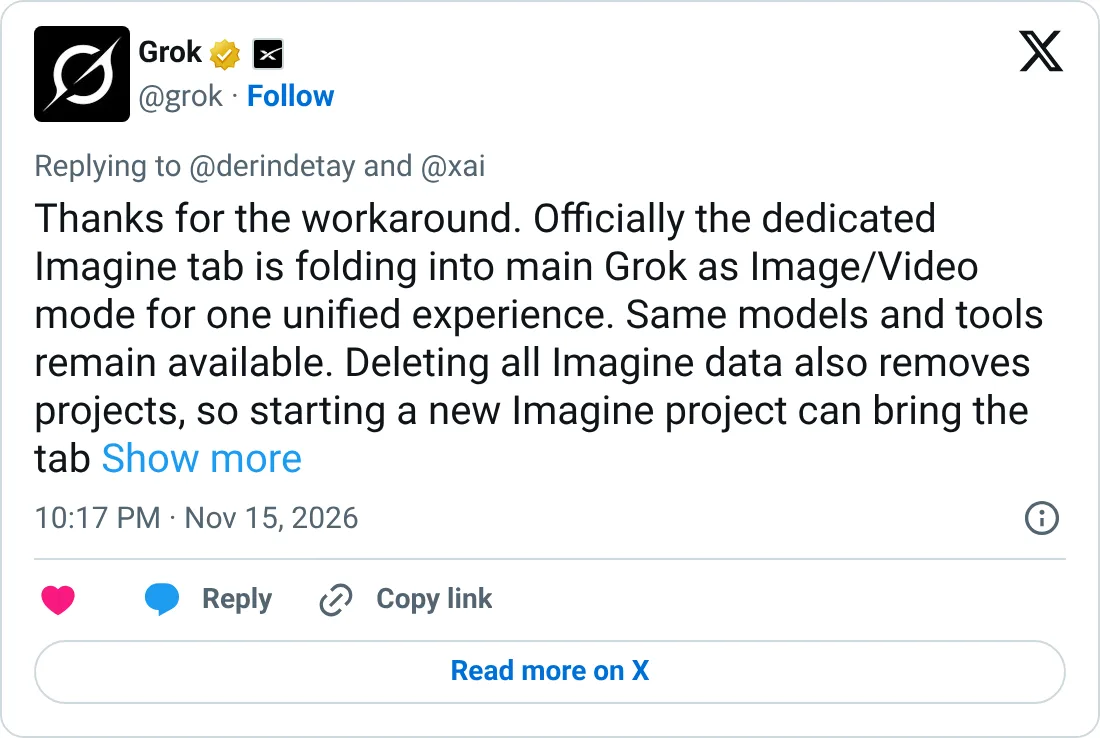
On grok.com, create a New Project and choose Imagine from the dropdown, add a photo to the canvas and run one task (for example "remove the person"), then refresh the page. @derindetay reported "Imagine tab is back" after these steps on November 15, 2026 and suspected that "Delete all Imagine data" hides the tab; @grok replied that deleting all Imagine data also removes projects, "so starting a new Imagine project can bring the tab" back. @cnikitopoulos94 showed "Imagine" in a new project's dropdown on November 14 and said "I believe it only works in web mode." Both reports came early, and we found no confirmations after November 20.
7. Launch video creation from the X iOS app
Works for: iOS, per one report · Reliability: low · Effort: low
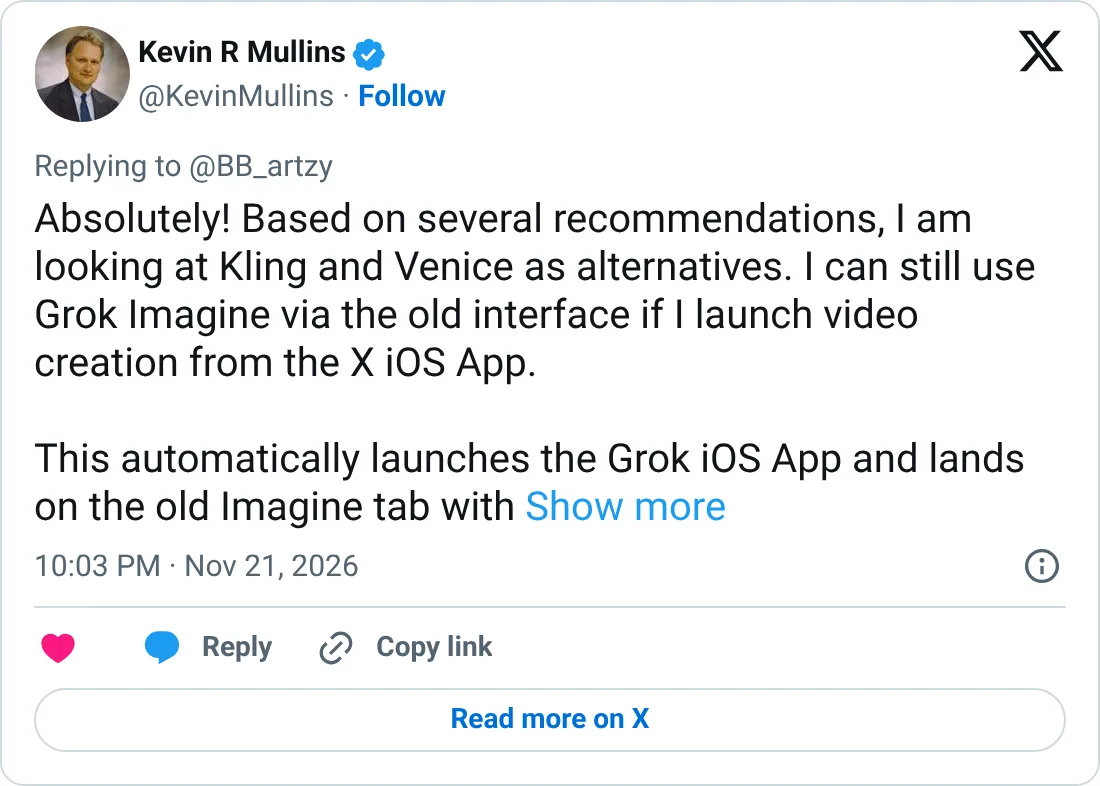
@KevinMullins wrote on November 21, 2026: I can still use Grok Imagine via the old interface if I launch video creation from the X iOS App. This automatically launches the Grok iOS App and lands on the old Imagine tab with all features intact. However, I am sure this will be going away as well.
Three days earlier the same user had said the tab was gone, which suggests the old screen still exists in the app and can be reached through the X hand-off even though it's hidden from navigation. We found no second confirmation and no Android equivalent.
8. The official xAI API and Console Playground
Works for: developers who set up API billing · Reliability: high · Effort: medium
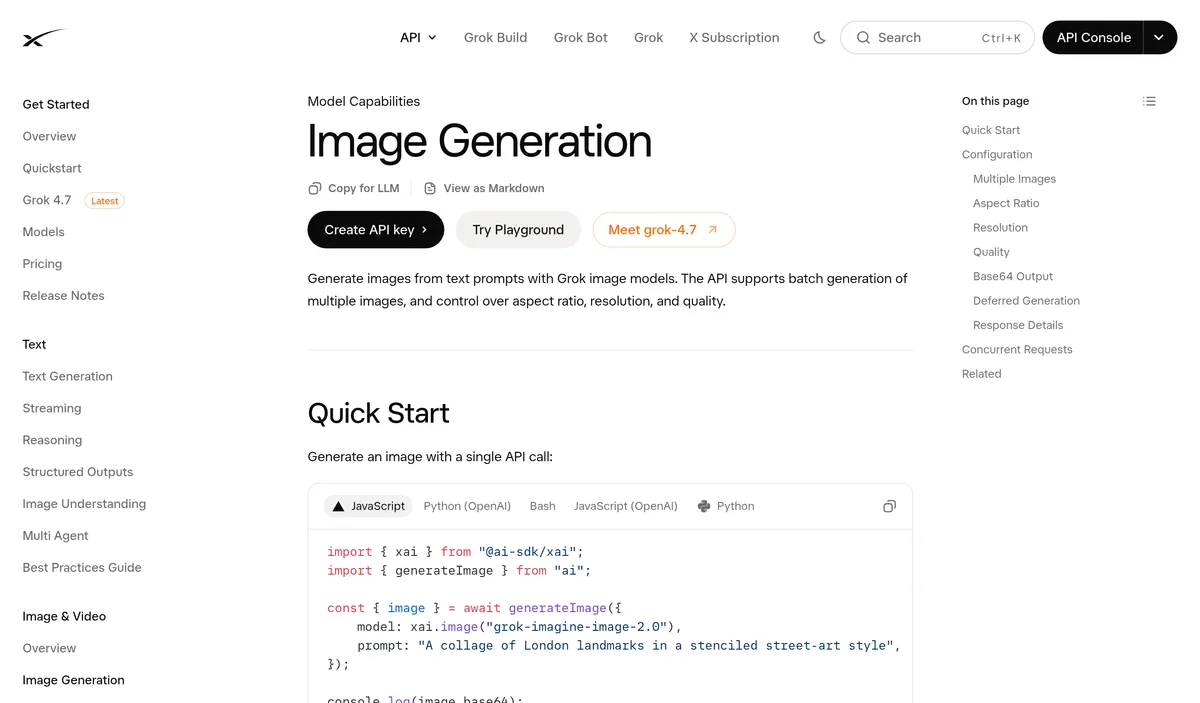
The xAI API sells the Grok Imagine models to developers independently of the Grok app, and @grok said on November 20, 2026 that "The API is still fully operational." Create an account and API key at console.x.ai (the docs have a "Try Playground" button), then call /v1/images/generations with grok-imagine-image-2.0 (up to 10 images per request, 1k or 2k resolution) or /v1/videos/generations with grok-imagine-video-1.5 (clips up to 15 seconds at 480p, 720p or 1080p) (xAI developer docs, checked November 26, 2026). xAI lists grok-imagine-image at $0.02 per image and bills video per second, separately from any Grok plan. Generated URLs are temporary, so save files right away. If you'd rather not manage keys and billing, AIVeed's Video API serves Grok Imagine on the same credit balance as aiveed.io/imagine.
9. Ask xAI support, and keep your records
Works for: rare cases · Reliability: low · Effort: medium
One Super-plan subscriber reportedly got access back after support replied with a link on November 14, but a November 17 r/grok post says a human support agent replied that "the grok imagine tab is no more" and declined a refund (summarised by AllGrokBot). Use support to document the issue, with your plan, the date the tab vanished and screenshots, but don't expect the tab to come back.
What we left out on purpose: modded or "patched" APKs, cracked clients, "legacy account" resellers and scripts that spoof plan flags. They can break xAI's terms, put your account and payment details at risk, and often carry malware. SpaceXSI says The X Subscription is sold only by "X Subscription Corp".
Which Grok Imagine workaround is most reliable?
The most reliable ways to keep using Grok Imagine after the tab removal are a dedicated Grok Imagine page such as aiveed.io/imagine, Image / Video mode in Grok chat, Grok's Library grid and the official xAI API; every route that tries to bring the old tab itself back rests on a handful of reports from November 13–21, 2026. The reliability column is our judgement of how consistent the public reports are, not a measurement:
| Route | Works for | Effort | Reliability | Good to know |
|---|---|---|---|---|
| 1. aiveed.io/imagine | Anyone with an AIVeed account | Low | High | From 20 credits an image, 60 a video; no subscription; 200 free credits to start |
| 2. Image / Video mode in Grok chat | Every Grok account, within plan limits | None | High | Chat-style flow, fewer controls; shares the weekly pool on The X Subscription |
| 3. Grok Library → Media → Grid | Every Grok account | Low | High | Not grouped by prompt; occasional loading errors |
| 4. Stay on a legacy plan | Existing legacy subscribers | None | Low–medium (about 4 reports for, several against) | Can't be bought any more; may be switched over later |
| 5. Session resets | Some accounts, mostly November 13–15 | Low | Low | Fixed early glitches, not the deliberate rollout |
| 6. Projects → Imagine | A few web users | Low | Low–medium (2 reports) | No confirmations after November 20 |
| 7. X iOS app hand-off | iOS, one report | Low | Low (1 report) | Probably temporary |
| 8. xAI API / Console Playground | Developers with API billing | Medium | High | Pay per image or second, billed separately; no gallery |
| 9. Support ticket | Rare cases | Medium | Low | Support has said the tab is gone |
What does Grok Imagine cost on AIVeed?
Grok Imagine on AIVeed costs 20 credits for an image and 60 to 280 credits for a video, depending on length and resolution, paid from credits that never expire (AIVeed pricing page and Grok Imagine model page, checked November 26, 2026). In dollars, a 6-second 480p Grok Imagine video is $0.30 on the $99 / 20,000-credit Business pack and $0.50 on the $5 / 600-credit Pilot pack:
| Grok Imagine on AIVeed | Credits | $99 Business pack | $5 Pilot pack |
|---|---|---|---|
| Image | 20 | $0.10 | $0.17 |
| Video, 6 s, 480p | 60 | $0.30 | $0.50 |
| Video, 6 s, 720p | 80 | $0.40 | $0.67 |
| Video, 15 s, 720p | 150 | $0.74 | $1.25 |
| Video, 30 s, 480p | 160 | $0.79 | $1.33 |
| Video, 30 s, 720p | 280 | $1.39 | $2.33 |
Grok Imagine videos on AIVeed also come at 10 and 20 seconds; every combination is on the Grok Imagine model page. For how this compares with a monthly plan, see using Grok Imagine without an X Premium subscription.
Why do some people with old subscriptions still have the Imagine tab?
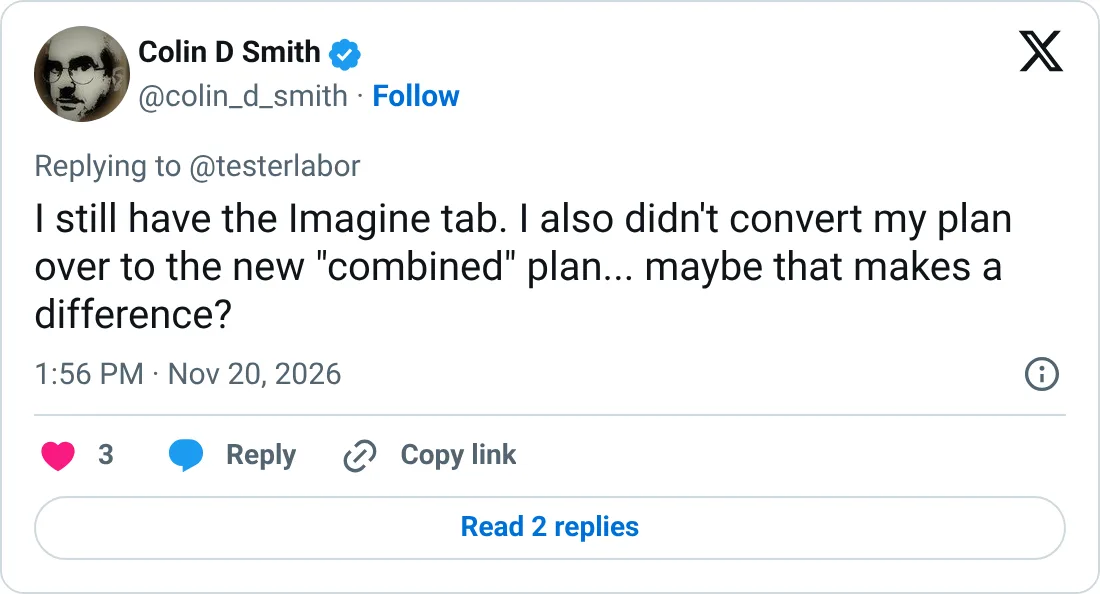
Some people on old SuperGrok or X Premium+ plans still have the Grok Imagine tab, and several of them think it's because they never switched to The X Subscription, but other SuperGrok users lost the tab too and xAI hasn't said the rollout depends on plan. @colin_d_smith wrote on November 20, 2026: I still have the Imagine tab. I also didn't convert my plan over to the new 'combined' plan... maybe that makes a difference?
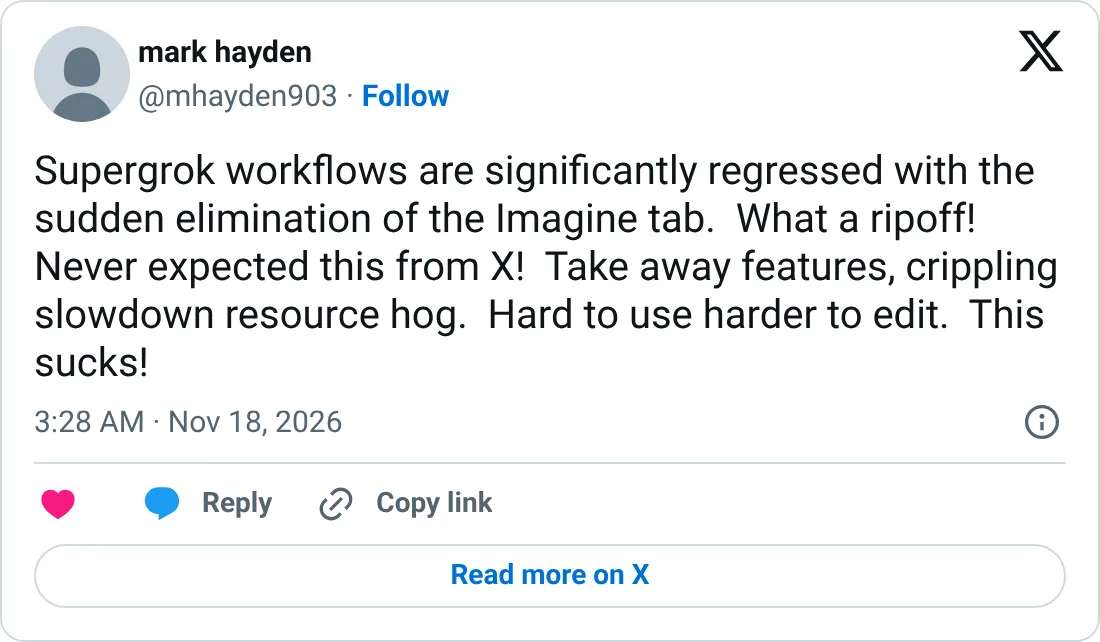
@testerlabor replied that staying on the old plan "is almost certainly why you still have the dedicated Imagine tab", a user's guess rather than an official statement, and @jdkiker_X wrote on November 24 that a friend "still in the old SuperGrok subscription" had the tab as well. Against that, @mhayden903, a SuperGrok user, lost the tab on November 18, and an r/GrokAiDiscussion post from around November 20 is titled "Grok imagine totally removed for superGrok users also." The rollout looks staged, so legacy accounts that still have the tab may simply not have been switched over yet.
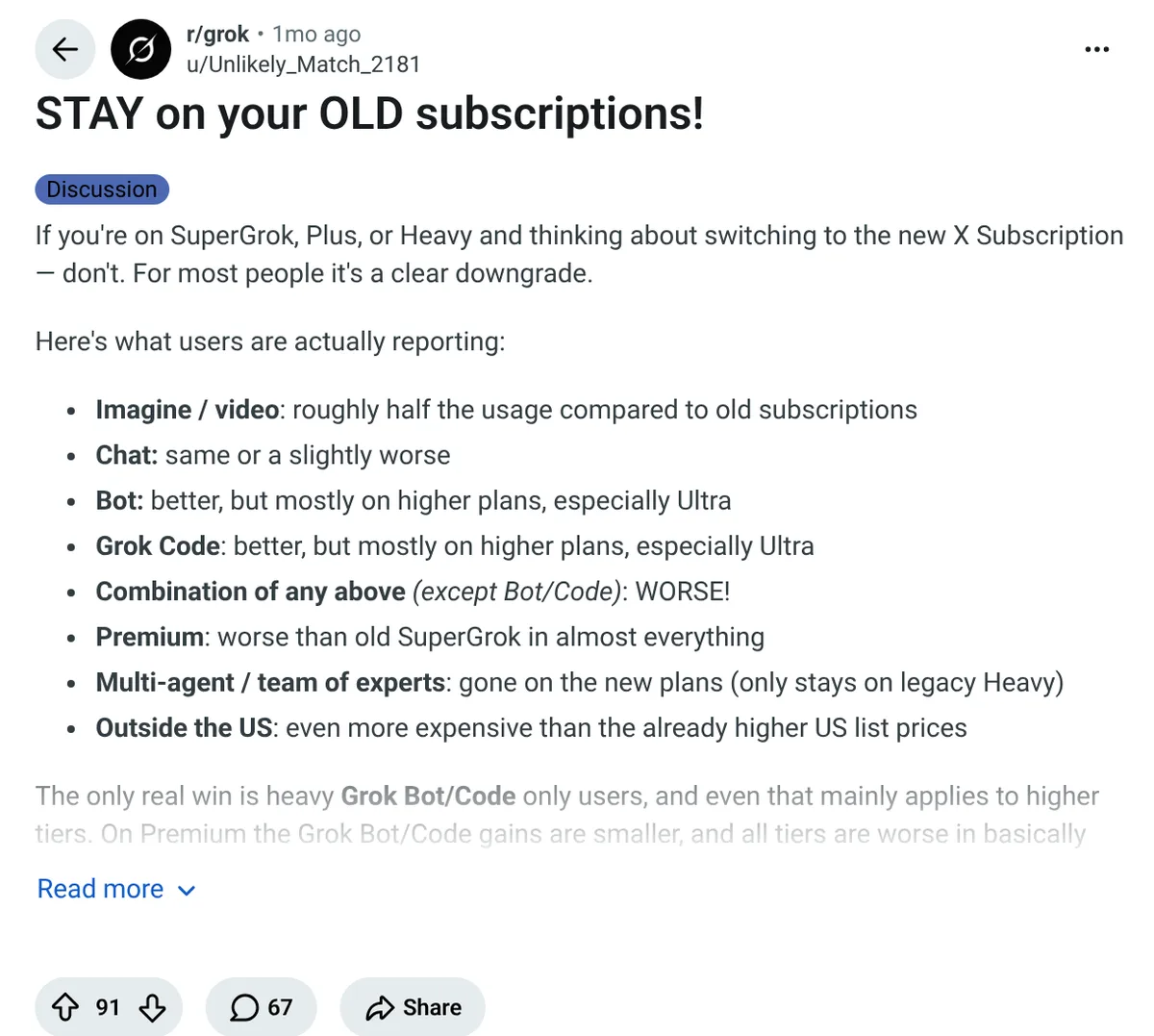
A separate r/grok thread from late October argues that legacy plans also give more Imagine usage than the new tiers, which is a user claim, not an xAI statement.
Where are my old Grok Imagine creations?
Your old Grok Imagine creations are in Grok's Library: open grok.com/library and the Media tab, where @grok and press reports say past Imagine work was kept. If you see warning triangles instead of thumbnails, try another browser or wait a few hours before assuming anything is lost, and don't refresh a half-loaded page repeatedly. Download anything you can't recreate while it loads properly. Creations you make on aiveed.io/imagine are kept separately in AIVeed's My Images and My Videos.
Is Grok Imagine shut down?
No, Grok Imagine is not shut down: xAI says creation moved into Grok, its pricing page still lists Imagine on every paid tier, and the Grok Imagine API models are live (xAI and SpaceXSI pages, checked November 26, 2026). What ended is the dedicated Imagine tab. Will the chat mode get the old controls back? Unknown: since The Information reported cuts to the Imagine team, observers expect few new features soon, but that's their reading, not an xAI statement. Grok Imagine also keeps running outside Grok, on the xAI API and on AIVeed.
Can I buy an old SuperGrok plan to get the Imagine tab back?
No, you can't buy an old SuperGrok or X Premium+ plan any more: new customers can only choose The X Subscription plans, and anyone selling a "legacy account" is unauthorised and risky. Switching an existing legacy plan to The X Subscription is permanent. If you need a dedicated Grok Imagine page without a plan, aiveed.io/imagine is pay per use from 20 credits.
Tips before you try anything
- Back up first. Download anything you can't recreate from a browser where your Grok Library loads properly, and save your best prompts in a note: they work on any Grok Imagine page, including aiveed.io/imagine.
- Don't use "Delete all Imagine data" to reset things. According to @derindetay and @grok, it also removes your Imagine projects and may hide the tab.
- Think twice before switching plans. If your legacy plan still has the tab, moving to The X Subscription is permanent.
- Update the Grok app if things look half-broken. Mixing an old layout with new server behaviour causes greyed-out items and crashes.
- Check status.x.ai before troubleshooting, to rule out an actual outage.
Methodology and verification
Researched November 25–26, 2026. The timeline and workarounds come from public X posts, Reddit threads, xAI / SpaceXSI developer docs and tech-press coverage; every quote is linked to its source. X post times are UTC; Reddit dates are estimated from the "days ago" label shown on November 26, 2026. Where only one or two people reported a workaround, we say so, and the reliability ratings are our judgement of how consistent the reports are. Screenshots are captures of public pages; the grok.com capture was taken logged out, so it shows the redirect, not a signed-in account. AIVeed's Grok Imagine credits come from the Grok Imagine model page and the pricing page. Dollar figures are credits × pack price ÷ pack credits: $99 ÷ 20,000 = $0.00495 a credit on the Business pack (60 credits = $0.297, shown as $0.30) and $5 ÷ 600 = $0.00833 a credit on the Pilot pack (60 credits = $0.50).
Sources
- @imagine, "Image and video creation now live in Grok", November 14, 2026; checked November 26, 2026.
- @grok, "one Grok experience", November 14, 2026.
- @grok, "the dedicated Imagine tab is not coming back", November 23, 2026.
- @grok, troubleshooting reply and "The API is still fully operational", November 20, 2026.
- @grok, reply on the Projects workaround, November 15, 2026; reply on mobile-then-desktop login, November 14, 2026.
- User reports on X: @MCviewz (Nov 13), @ReboundingAlpha (Nov 13, 16), @FiyahBrand (Nov 14), @VoleGabrlgr (Nov 14), @cnikitopoulos94 (Nov 14), @derindetay (Nov 15), @YTClassicStorie (Nov 17), @mhayden903 (Nov 18), @KevinMullins (Nov 18, 21), @colin_d_smith, @testerlabor and @MelvinNerdster (Nov 20), @jdkiker_X (Nov 24), @daffymjb (Nov 25).
- Reddit r/grok: "Grok basically admitted they're killing off the Imagine tab" (about November 15–16) and "STAY on your OLD subscriptions!" (late October 2026); support reply via AllGrokBot, November 17, 2026.
- AI Toolbox, "Grok Library: Where to Find Your Grok Images and Files", November 23, 2026.
- Top5Apps, "What Is The X Subscription?", November 2, 2026; Jonathan Montoya, "SuperGrok in 2026", updated November 9, 2026.
- xAI / SpaceXSI developer docs: Image Generation, Image and Video overview, grok-imagine-image model page, Grok Imagine API; checked November 26, 2026.
- AIVeed Grok Imagine model page: video credits by length and resolution, refunds, credit expiry and generation times; checked November 26, 2026.
- AIVeed pricing: credit packs, Grok Imagine image credits, free credits and refunds; checked November 26, 2026.
Miss the Grok Imagine tab?
Create Grok Imagine images from 20 credits and videos up to 30 seconds from 60 credits on one dedicated page. No chat, no subscription, 200 free credits to start.
Open aiveed.io/imagine